AI Agent for Organizations: Choose a Specialized Assistant on TopAgent IC
AI Agents on TopAgent IC: Why a Single Assistant Isn’t Enough for Every Task An AI agent on TopAgent IC takes in a request and processes it according to its specialized configuration. The user opens the assistant catalog, selects the right agent, enters the goal along with the necessary data, and then reviews the result […]
AI Agents on TopAgent IC: Why a Single Assistant Isn’t Enough for Every Task
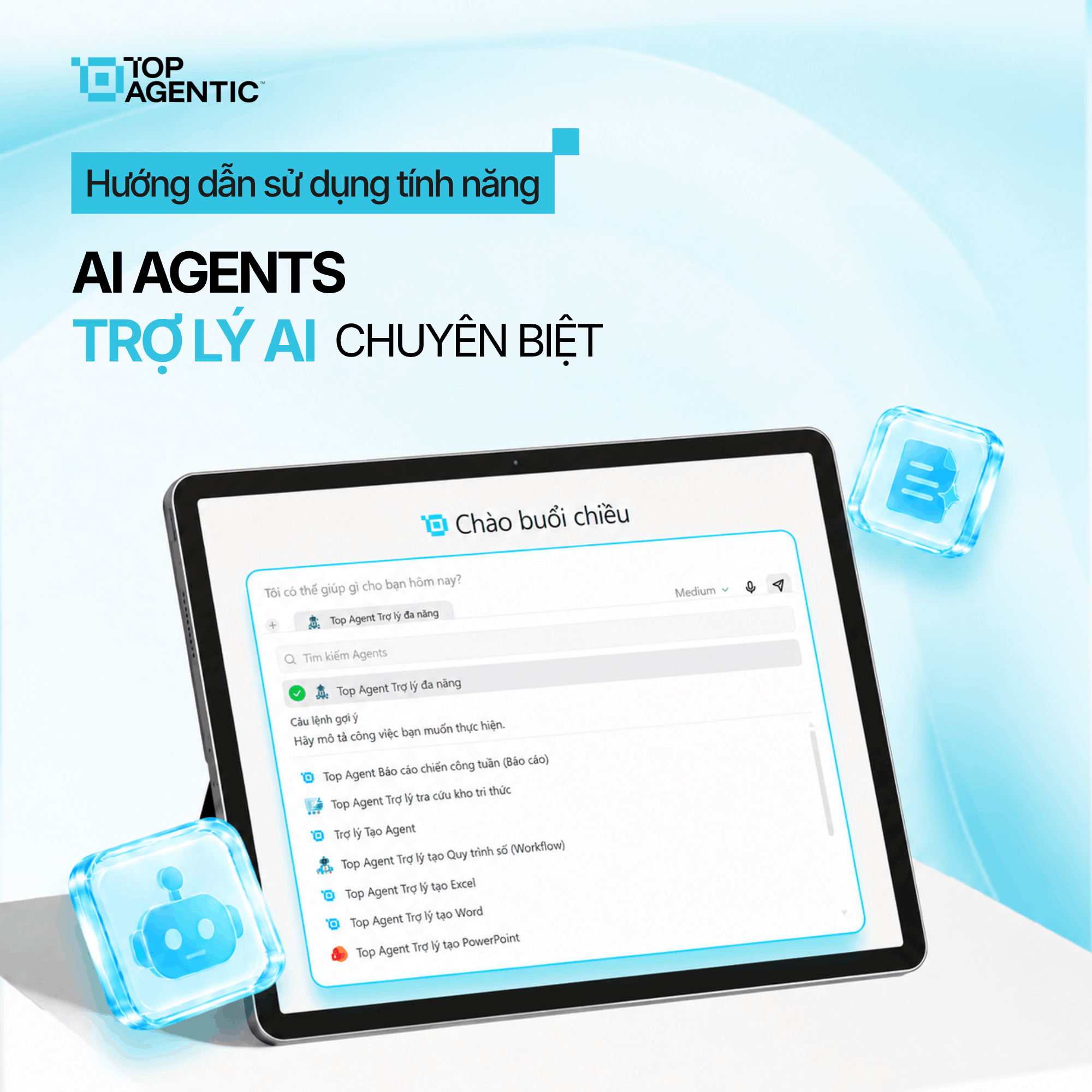
An AI agent on TopAgent IC takes in a request and processes it according to its specialized configuration. The user opens the assistant catalog, selects the right agent, enters the goal along with the necessary data, and then reviews the result the system returns.
When using a single general-purpose AI assistant, users typically have to break a request into multiple steps and coordinate each stage themselves. This still takes time for in-depth tasks.
The AI agent ecosystem for organizations on TopAgent IC lets users choose a specialized assistant and focus on the goal, the data, and the result they need.
1. What Are AI Agents for Organizations on TopAgent IC?
An AI agent on TopAgent IC is an assistant configured to take in a request, handle a specific group of tasks, and return a result.
The user opens the catalog from the chat panel, selects an assistant, and then enters a request in natural language for the agent to process according to its configuration.
The feature focuses on three core values:
- Specialized AI assistants: each agent is built for a specific group of tasks.
- Request-based delegation: the user supplies the goal, the data, and the desired result.
- Configuration-based processing: the agent performs the task and returns an output for the user to review.
AI agents for organizations don’t take responsibility on behalf of a person. The user still defines the goal and evaluates the result.
2. Why Isn’t a Single General-Purpose AI Assistant Enough for Every Task?
When using one general-purpose AI tool for many different purposes, users typically run into:
- Re-explaining the process: each time it’s used, the steps and criteria have to be described again.
- One assistant doing everything: generic answers may not fit the specific context.
- Dependence on prompting: less experienced users don’t know what information to provide.
- Lack of consistency: different team members assign the same task in different ways.
- Manual coordination: the user keeps having to enter commands for each step.
- Lack of standards: a general-purpose assistant may not know the specific criteria for a given task.
As a result, AI only ends up supporting small individual pieces of work; effectiveness depends on individual skill and is hard to scale across a team.
3. How Do Specialized AI Assistants Solve This Problem?
Choosing the right agent for the right purpose
TopAgent IC organizes assistants into a catalog so that requests are placed in the right context, instead of using a single tool for everything.
Users should read each agent’s description, scope, and output type before selecting it.
Delegating tasks in natural language
After activating an agent, the user enters the goal, data, scope, and output format in the chat panel.
Missing data or an ambiguous request can cause the result to miss the point.
Processing and returning results
The agent carries out the task according to its configuration and displays the result, reducing the need to coordinate each small step manually.
Don’t assume a single agent handles every request in the same domain by default; check each assistant’s description.
4. How to Use AI Agents on TopAgent IC
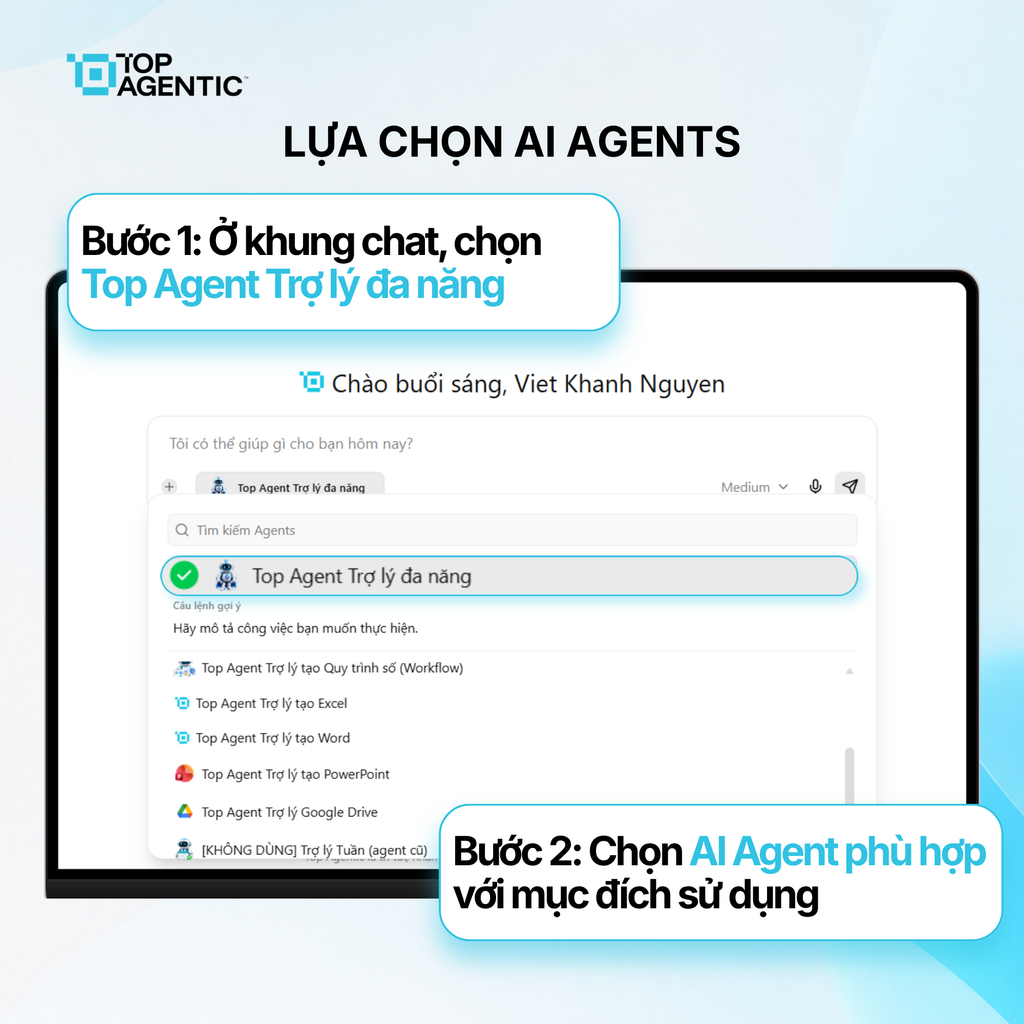
Step 1: Open the AI Agent catalog
- In the chat panel, select “Top Agent – Multi-purpose Assistant,” which is currently displayed.
- The system opens the list of available AI agents.
Identify the type of task and the desired result before making a selection.
Step 2: Choose the right AI Agent
- Review the list of agents currently available.
- Search for, or directly select, the appropriate agent.
- Check the agent’s name and description before activating it.
If the goal changes, go back to the catalog and choose a different, more suitable agent.
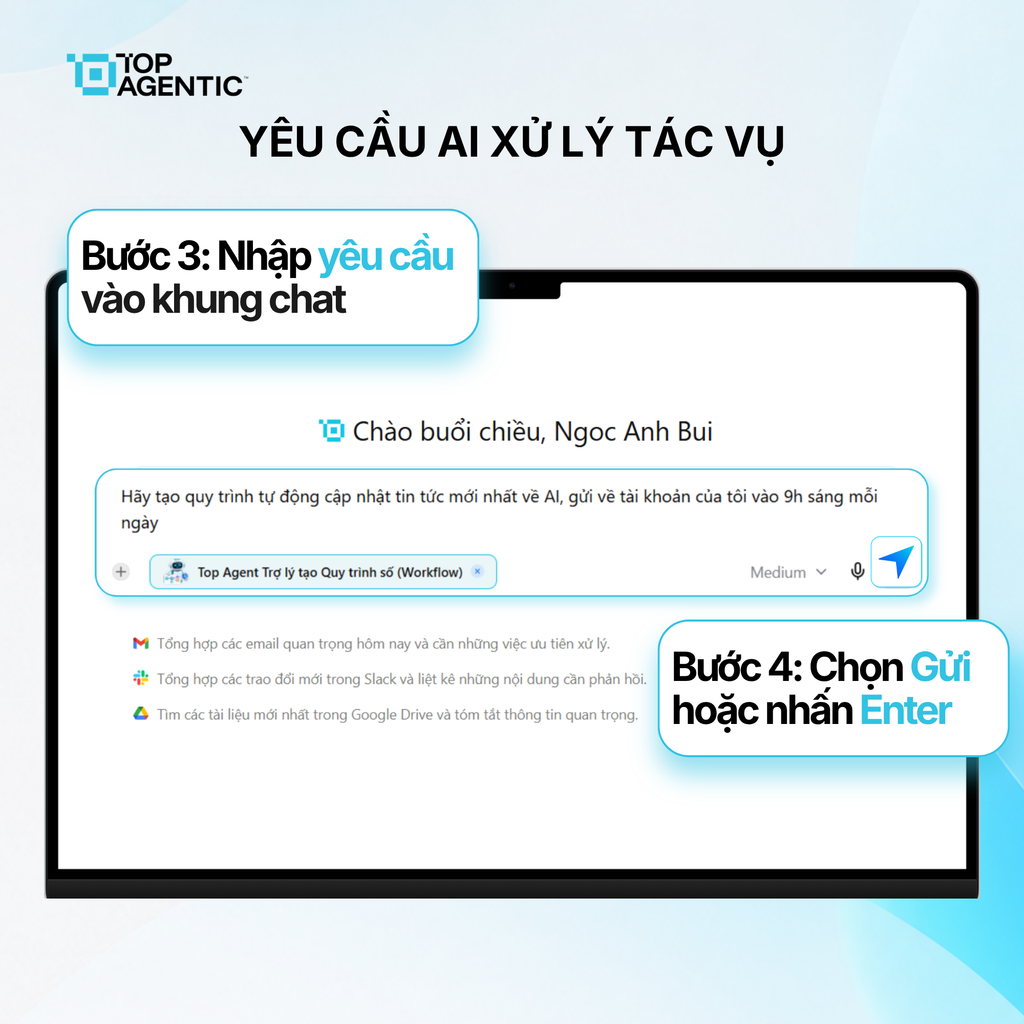
Step 3: Enter the Request and Start Processing
- In the chat panel, enter the request you want the agent to carry out.
- Provide the necessary data, context, or criteria.
- Select Send or press Enter.
- Wait for the system to process the request and return the result.
Once it’s complete, check any important data carefully. If the result isn’t correct, add more context or adjust the request.
5. How to Choose the Right AI Agent for Each Task
Before selecting an agent, users should answer four questions:
- What is the goal? For example: lookup, analysis, summarization, classification, or content generation.
- Where is the data coming from? Project documents, user-entered data, or a connected tool.
- What form should the output take? A summary, a comparison table, a report, or an action list.
- What level of oversight is needed? Is the result just a reference, or will it be used in a critical process?
If two agents have similar names, prioritize the one whose description matches the desired output. For tasks that aren’t yet clear, you can start with the multi-purpose assistant and then switch to the appropriate agent.
6. How to Delegate Tasks So the AI Agent Processes Them Effectively
Tasks can be structured as: goal + data + scope + criteria + output format.
Instead of writing “Analyze this document,” specify the type of report, how many issues to identify, what basis to use, and the structure of the output.
When delegating a task, users should:
- Clearly specify the document or data source.
- State the intended audience and purpose.
- Provide criteria if the task follows a set standard.
- Request supporting evidence when verification is needed.
- Not provide data outside the permitted scope.
- Check figures, proper names, and conclusions.
A task template makes agent use more consistent, but it still needs to be adjusted to fit the context.
7. Benefits of AI Agents for Organizations
- The right assistant for the right task: choose an agent based on the need, instead of using one general-purpose tool for everything.
- Less coordination: the agent handles the steps within its configuration.
- Consistency maintained: standardized agents and a standardized way of delegating tasks.
- Scales by business function: deploy the right assistant for each group of tasks.
- Builds a digital workforce: assistants take on parts of the work under human oversight.
Agents handle the parts of the work that can be standardized; people focus on goals, exceptions, and decisions.
Conclusion
AI agents for organizations let you use a specialized assistant for each task. The user selects an agent, enters the request, and reviews the result.
Organizations should start with a clearly defined task, standardize how tasks are delegated, and designate who reviews the output.
Frequently Asked Questions About AI Agents for Organizations
What is an AI agent on TopAgent IC?
It’s an assistant configured to take in a request, process a task, and return a result.
How is an AI agent different from the Top Agent multi-purpose assistant?
The Top Agent multi-purpose assistant is the entry point for opening the catalog so users can select a specialized agent.
How do you choose the right AI agent?
Define the goal, data, and output first, then read each agent’s description to make your selection.
Does the request need to be entered in detail?
Yes. The clearer the request is about the goal, data, and output, the better the agent can process it.
Does the AI agent complete the entire task automatically?
The agent processes work within its configured scope. The user still needs to review the result and make any important decisions.
Can the agent be changed while in use?
Yes. The user can reopen the catalog and select a different agent whenever the purpose changes.