AI Creates Reports on TopAgent IC: Start and Edit in One Interface
The AI report feature on TopAgent IC lets users describe their request in the chat box, get a report generated on the canvas, and edit it directly without having to switch to another software.
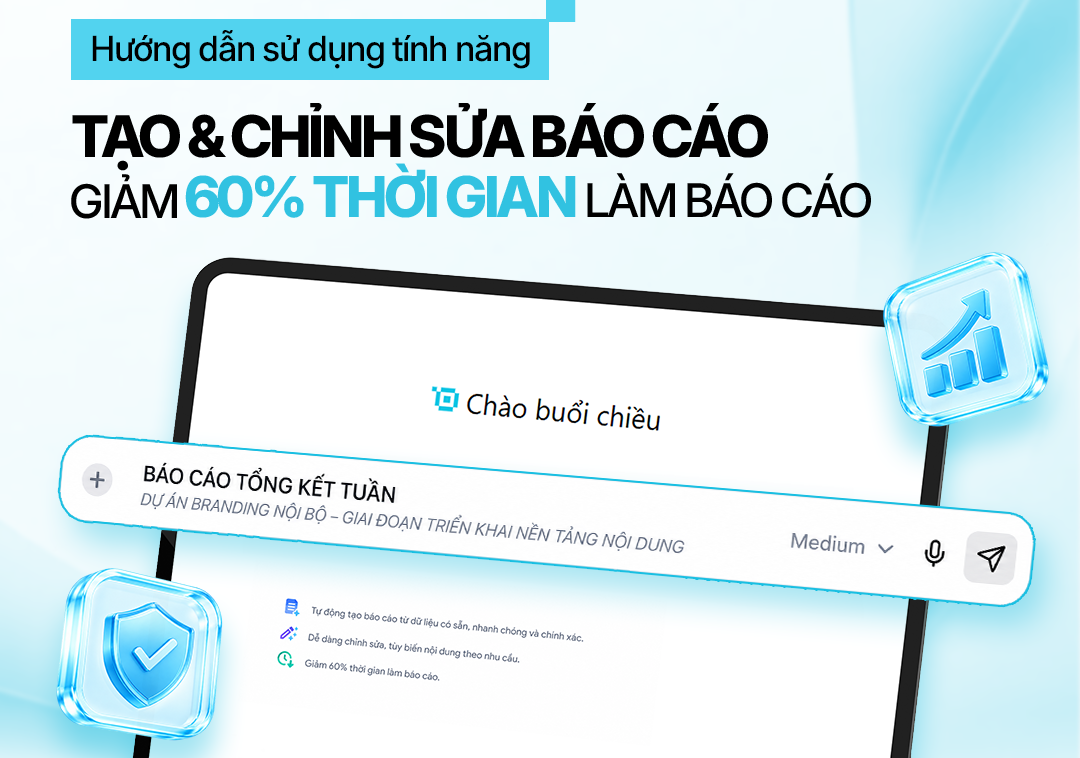
The AI report generation feature on TopAgent IC lets users describe their requirements in the chat panel, receive a report drafted on the canvas, and edit it directly without switching to another piece of software.
Writing a report isn’t just about writing content. The person doing it also has to define the goal, build the structure, compile the information, and review the document before sending it. For recurring reports, many steps repeat, but they still take up a significant amount of staff time.
The AI report generation feature on TopAgent IC shortens the process from the initial request to a draft that’s ready to be refined further. The user describes the type of report, its purpose, and what information it needs to include; the system then generates a draft on the canvas and allows editing directly alongside the conversation.
1. What Is AI Report Generation on TopAgent IC?
AI report generation is a feature that lets users delegate a request in natural language so that TopAgent IC can build the structure and generate the report’s content. The result is displayed in a visual editing window, called a canvas, where the user can view and edit it directly.
A request can include:
The type of report needed.
The purpose and target audience.
The time range or topic.
The data, documents, or key points to use.
The desired structure, length, and writing style.
Once the request is received, the AI agents within the system work together to analyze the goal, propose a layout, and draft the initial content. The user still controls the final version by adding, removing, or editing each section on the canvas.
What sets TopAgent IC apart is how it connects two activities that are usually kept separate: delegating work to an AI in the chat panel, and editing the report in a dedicated writing area. Users don’t have to keep copying text back and forth between a chatbot and another piece of software.
2. Why Does Writing a Report Usually Take So Long?
The report-writing process in a business typically runs into the following bottlenecks:
Time spent building the structure: the person writing it has to determine which sections are needed, the order to present them in, and how the content connects, before they can even start writing.
Information spread across multiple sources: data may live in email, project documents, spreadsheets, or meeting notes, which stretches out the compilation step.
Disjointed editing: an ordinary chatbot returns text inside the chat window; the user has to ask for a rewrite, then copy it into another piece of software.
Difficulty maintaining consistency: when multiple people contribute, a report can easily end up inconsistent in tone, terminology, and presentation.
Recurring reports are still done manually: weekly, monthly, or quarterly reports share a similar structure, but many steps still have to be repeated from scratch each time.
Data can be sensitive: management, financial, or operational reports often contain internal information that needs to be controlled.
3. How Does TopAgent IC Support Creating and Editing Reports?
3.1. Generating from natural language
Users can delegate the task in ordinary language, for example: “Create a business performance summary report for August for the board of directors, including key results, outstanding issues, root causes, and recommended actions.” The clearer the request, the closer the draft will be to the intended purpose; the quality of the result still depends on the data and criteria provided.
3.2. Coordination among multiple AI agents
The feature is built on a multi-agent AI system. The AI agents can work together to analyze the goal, propose a structure, compile information, and present the content. This multi-agent AI approach lets the system carry out a chain of steps toward the intended outcome, rather than simply answering a single isolated question.
3.3. Editing directly on the canvas
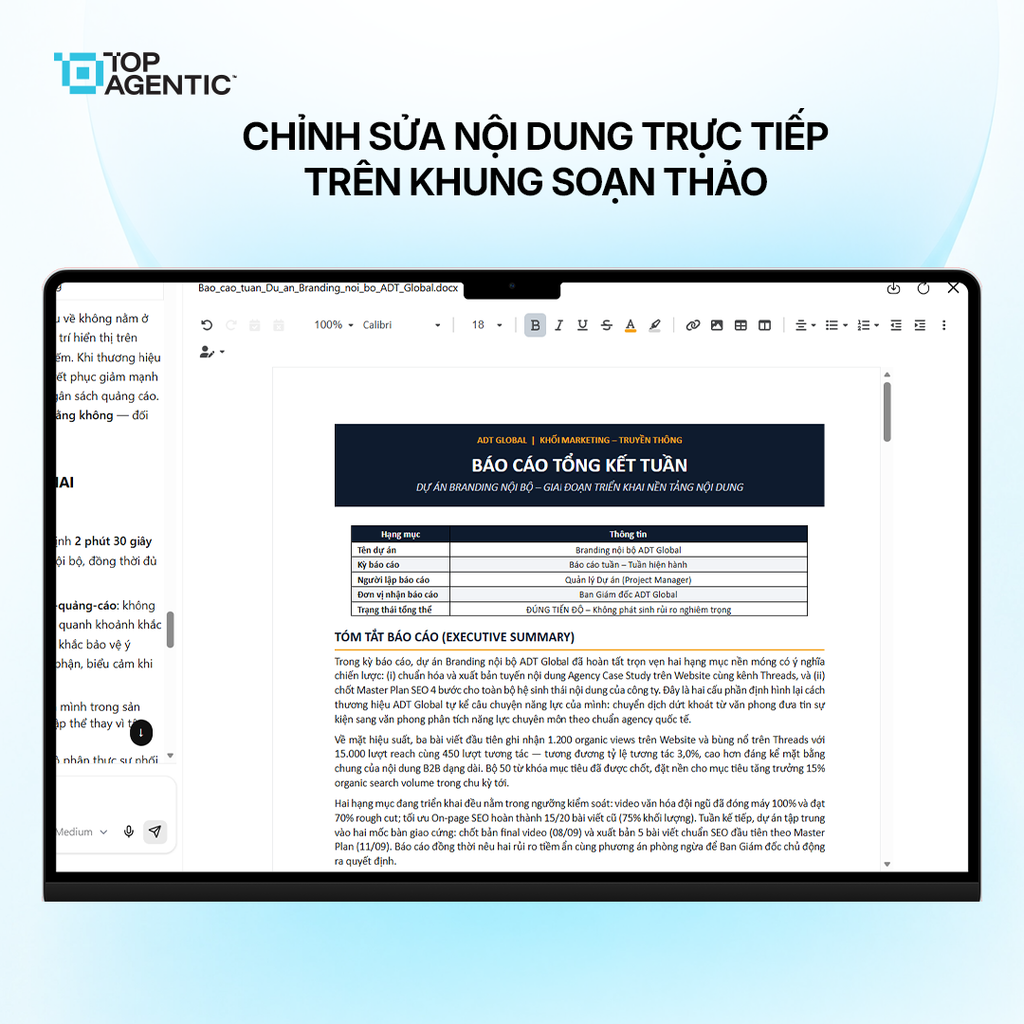
Once the content has been generated, the user opens the Report Draft card on the canvas. The editing window is displayed alongside the conversation, letting the user add, delete, or edit wording, change figures, or continue asking the AI to adjust a specific part of the content.
3.4. Built toward data control
TopAgent IC is developed with a Sovereign AI orientation and supports on-premises or private cloud deployment depending on the organization’s needs. This is a factor worth considering when a report uses internal data.
4. How to Use the AI Report Generation Feature
Step 1: Prepare the Request
Define the target audience, the goal, the data scope, the structure, and the writing style. Instead of entering “Create a revenue report,” you could write: “Create a Q3 revenue report for the executive board, including results, a comparison with Q2, root causes, and recommendations for Q4; present it concisely using tables and bullet points.”
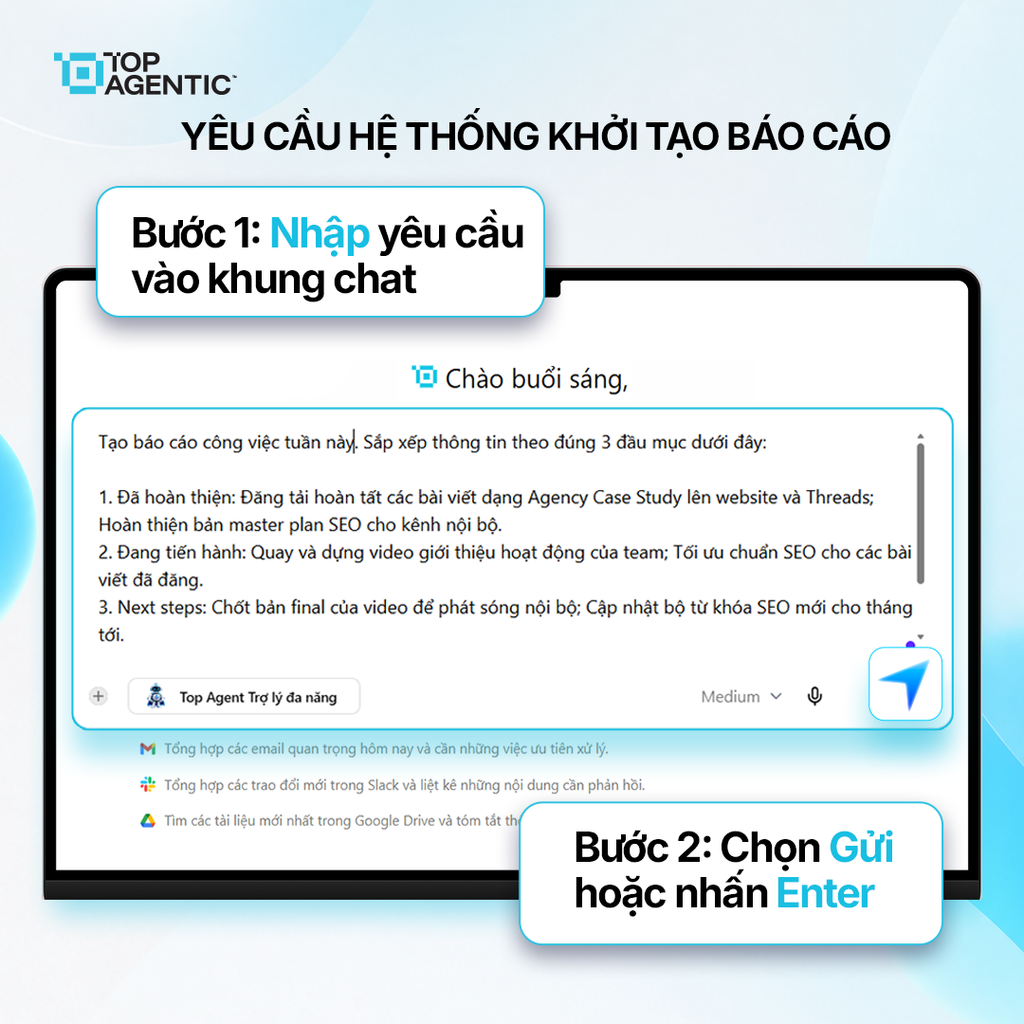
Step 2: Enter the Request in the Chat Panel
Enter the request in the chat panel, select Send or press Enter, then wait for TopAgent IC to generate the report. If you need to use a specific document, check that the file is in the correct project and is the current, up-to-date version.
Step 3: Open the Report Draft
Scroll down to the end of the response and select the “Report Draft” card. Once the canvas opens on the right side of the screen, check the title, the main sections, and how closely it matches your request before editing the details.
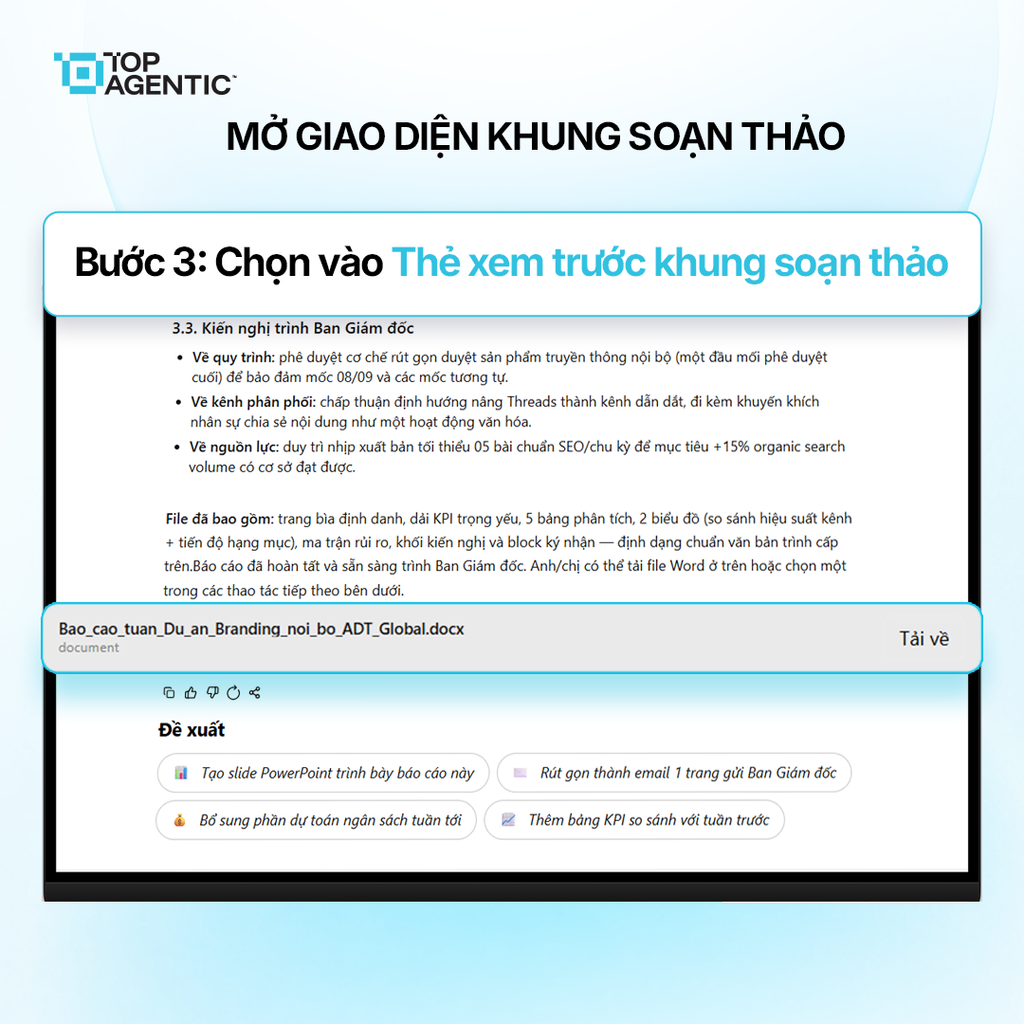
Step 4: Edit on the Canvas
Click on the spot you want to change to add, delete, or edit content. Users can also continue asking the AI for help, for example:
- “Shorten the overview to 150 words.”
- “Turn the results section into a table.”
- “Rewrite this in a formal administrative tone.”
- “Keep the figures as they are, just adjust the wording.”
Step 5: Review Before Use
The AI helps with drafting and formatting, but users still need to check the figures, data sources, organization names, specialized terminology, and any restrictions on disclosure. An official report still needs to be reviewed by the person responsible for that area of the business.
5. Why Should Businesses Use AI Report Generation on TopAgent IC?
- Less time spent drafting: no need to start from a blank page.
- Keeps the workflow seamless: delegating the task, reviewing the result, and editing all happen within the same interface.
- Easier content control: a person directly reviews and finalizes the result.
- Standardized structure: shared requests and templates help maintain consistent presentation.
- Connects into the AI agent ecosystem: can be combined with Q&A, document search, and specialized agents.
- Built toward data sovereignty: suits organizations that need to deploy AI within a controlled infrastructure.
The feature also contributes to building an enterprise AI assistant: the AI handles the parts of the work that can be standardized, while people focus on evaluation and decision-making.
Conclusion
The AI report generation feature on TopAgent IC connects the process of delegating a request, generating content, and editing the document within a single interface. Users can get started faster, do less copying back and forth between tools, and still retain control over the final report.
Effectiveness depends on the request, the input data, and the review step. Applied correctly, teams can focus more on analysis and action.
Frequently Asked Questions (FAQ)
How does AI report generation on TopAgent IC work?
The user describes the request in the chat panel; TopAgent IC analyzes it, generates the report on the canvas, and allows direct editing.
Does the AI automatically pull figures for the report?
This capability depends on connected sources, documents within the project, and access permissions. Figures still need to be checked before publication.
Can the feature generate PowerPoint or Excel files?
This article only describes the ability to generate and edit reports on the canvas. These two capabilities should only be communicated once they’ve been confirmed.
How is report data protected?
TopAgent IC is built toward Sovereign AI and supports on-premises or private cloud deployment; the scope of security depends on the specific deployment option chosen.