AI Internal Document Search: Lookup Sources on TopAgent IC
AI for searching internal documents on TopAgent IC allows you to ask questions in natural language, explore the project's document repository, and get answers with reference sources for verification.
AI Internal Document Search on TopAgent IC
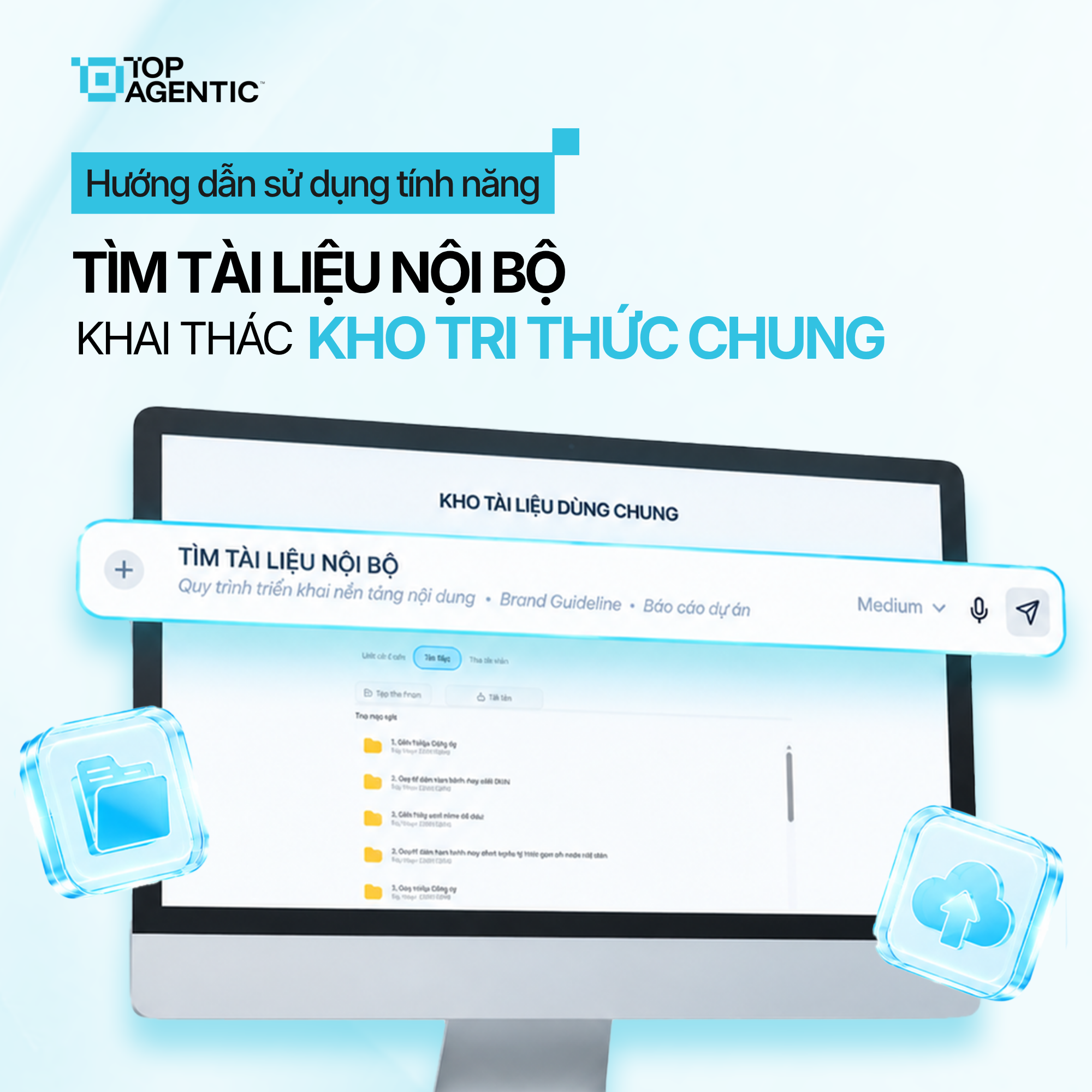
AI internal document search on TopAgent IC lets you ask questions in natural language, draw on a project’s document library, and get answers with reference sources for verification.
As the volume of documents grows, finding the right information in a report or a record can take a lot of time. Users have to open each file one by one and cross-check the content manually.
The AI internal document search feature on TopAgent IC lets users select a project, ask a question, and get content back along with its reference sources.
1. What Is AI Internal Document Search on TopAgent IC?
AI internal document search uses natural-language questions to find and extract information from a project’s document library. Users don’t need to remember the exact file name.
On TopAgent IC, developed by ADT Hi-tech, the AI agent draws on data within the currently selected project and answers with sources attached. The feature delivers three core values:
- Knowledge extraction: turns a file repository into a source of information that can be queried and used.
- Question-based retrieval: accesses the specific piece of content needed, without having to read an entire document.
- Transparent sourcing: provides a reference the user can open and cross-check.
Results depend on how complete, relevant, and up to date the documents are. The AI helps identify the relevant content, but it doesn’t replace checking the source itself.
2. Why Does Searching for Internal Knowledge Usually Take So Long?
Without an AI document-lookup assistant, users typically run into:
- Having to read a lot: the needed information may sit in just one small section of a report.
- Not remembering the file name: users can’t identify which document holds the content.
- Keyword mismatches: traditional search can miss relevant results.
- Multiple sources: a single answer sometimes requires cross-referencing several files.
- Dependence on experience: new staff have to ask more experienced colleagues.
- Difficulty verifying AI output: without a source, there’s no way to know where the information came from.
As a result, the time spent searching and reading can end up exceeding the time spent actually using the information for analysis.
3. How Does TopAgent IC Support Document Lookup?
Drawing on data by project
The user selects a project before opening Documents, which helps the AI focus on sources within the right context. Selecting the wrong project can mean missing needed documents.
Asking questions in natural language
The user phrases what they want to know as a question. The AI identifies the relevant content within the processed document library.
The clearer the question is about the topic, time period, or document type, the more on-target the result will be.
Compiling the answer with sources
The system returns the content along with its reference sources. With AI-based internal document Q&A, the user has a basis for opening the original document.
Users still need to check the version, effective date, and scope of application before using the information.
4. How to Use AI Internal Document Search on TopAgent IC
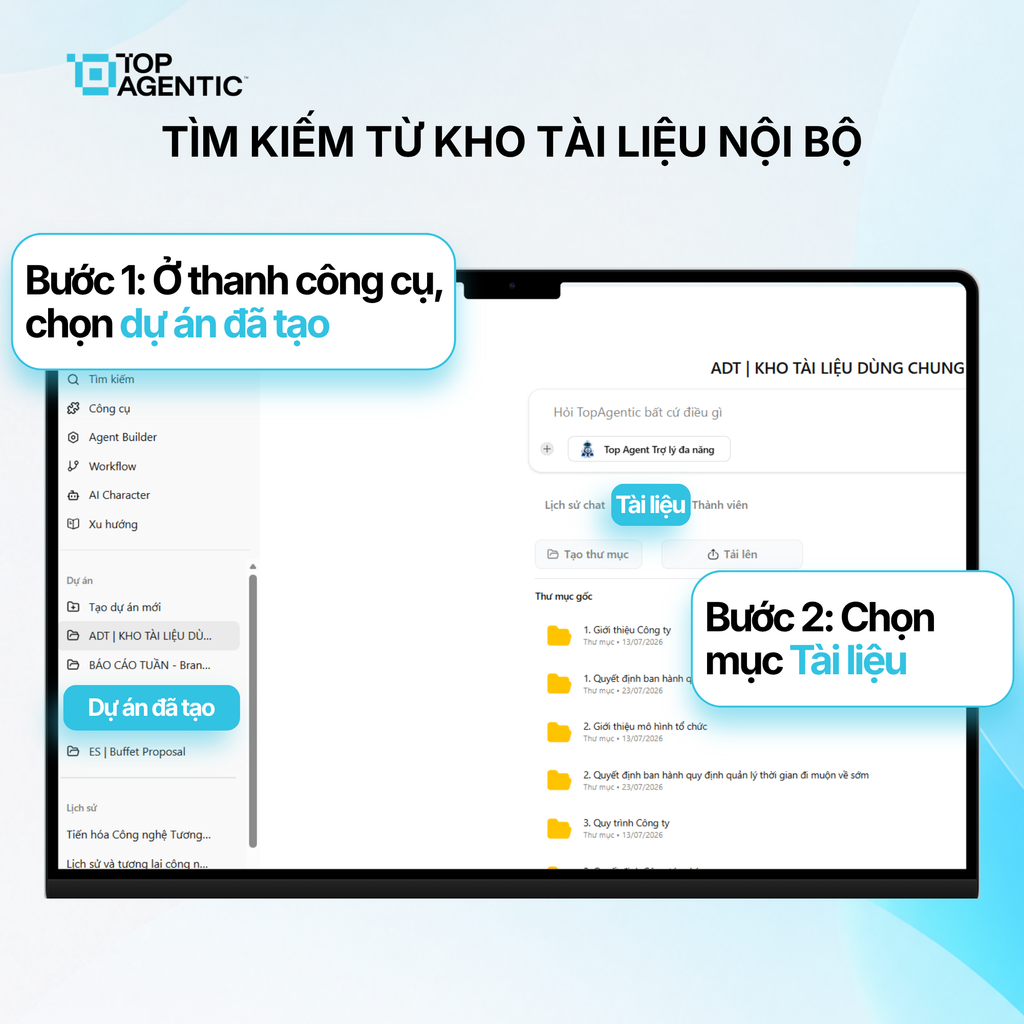
Step 1: Select the project to search
- In the Projects section on the left-hand toolbar, find the project you want to use.
- Select the project to open its corresponding workspace.
Selecting the correct project helps avoid mixing up context.
Step 2: Open the Documents section
- In the project interface, select Documents.
- Review the internal document library currently displayed.
Make sure the documents have been added to the project and have finished processing.
Step 3: Ask the Assistant a Question
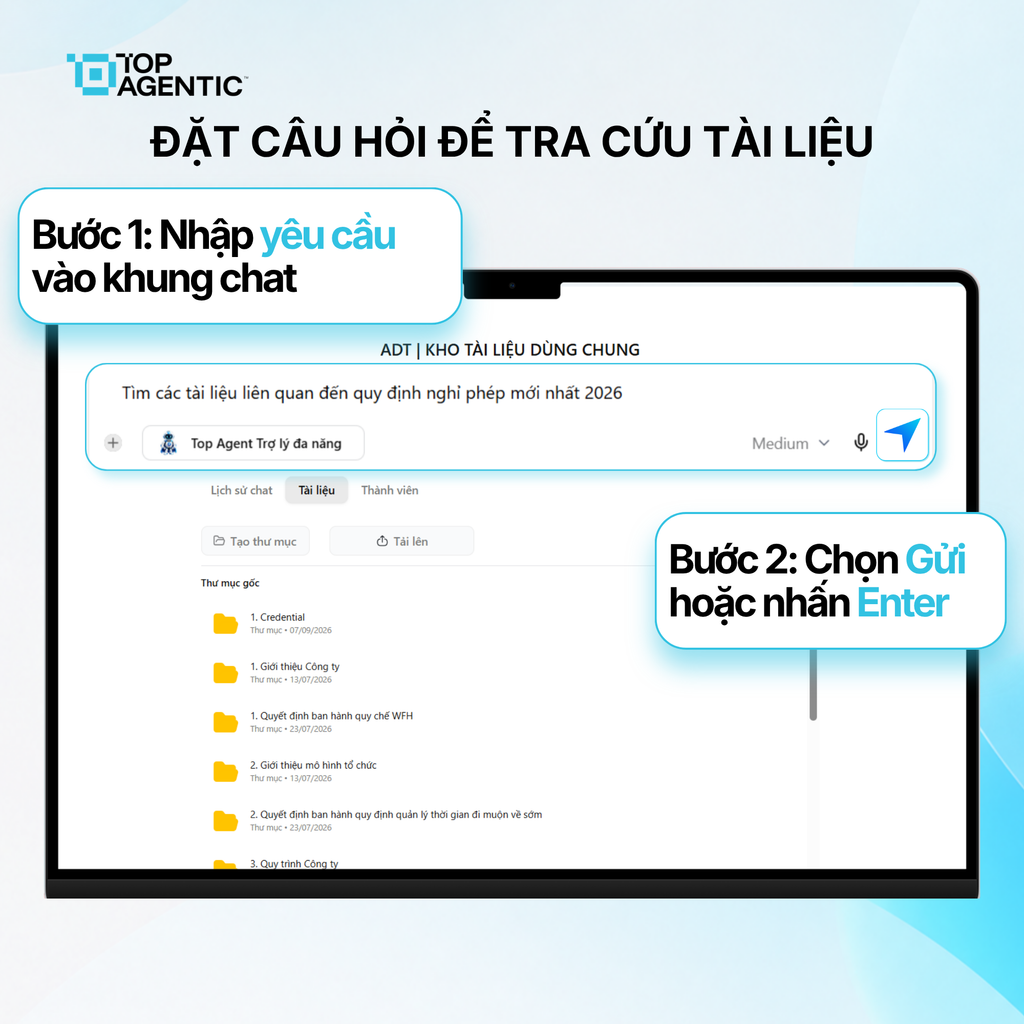
- Enter the question in the assistant’s input bar.
- Clearly state the relevant scope or conditions.
- Submit the question for the AI to analyze the documents.
Example: “What is the approval timeframe for records under the current process?” Avoid questions that are too short and lack context.
Step 4: Review the Result and Its Reference Sources
- Read the answer the system has compiled.
- Check the accompanying reference sources.
- Open the original document if the information needs to be verified.
- Re-ask a more specific question if the result is still too broad.
For important information, cross-check it against the original document and its effective date.
5. How to Ask Questions for More Accurate Lookup
A good question needs to clearly state its content and scope. You can use this structure: subject + information needed + scope + desired output format.
Instead of asking “What are the cost regulations?”, clearly state the project, the policy currently in effect, and a request for sourced evidence.
A few useful principles:
- State the project name, record type, or department, if relevant.
- Add a time reference when the document library contains multiple versions.
- Explicitly request a comparison between two documents when cross-referencing is needed.
- Ask the AI to point out the source and the relevant section.
- Break a complex question into several smaller ones.
- Ask again if the answer uses vague terminology or omits key conditions.
If the document library doesn’t contain the answer, the AI doesn’t have enough grounding and shouldn’t guess at the missing part.
6. Benefits of AI Internal Document Search
- Less time spent reading and filtering: access the specific content relevant to the question.
- Search based on actual need: less dependent on exact file names or keyword matches.
- Makes better use of the knowledge base: stored documents become a data source that gets used regularly.
- Transparent sourcing: users can cross-check the answer against the source document.
- Supports new staff: reduces the need to ask around about where documents are located.
- Speeds up analysis: teams spend less time on the initial search step.
To maintain the quality of enterprise AI search, remove duplicates, mark which documents are currently in effect, and review the data periodically.
Conclusion
AI internal document search turns a file repository from a mere storage place into a knowledge source that can be queried, used, and verified. On TopAgent IC, users select a project, open the Documents section, ask a question, and cross-check the result against its reference sources.
The feature shortens the filtering step, but it doesn’t replace reading the original source for important content.
Frequently Asked Questions About AI Internal Document Search
What is AI internal document search?
It’s the ability to ask a question so the AI can search a project’s documents and provide reference sources.
What source does the AI pull information from?
The AI draws on documents within the currently selected project, based on their processing status and access permissions.
Do documents need to be uploaded before asking a question?
Yes. The project needs relevant documents so the AI has a source to search and answer from.
What role does the reference source play?
The source shows which document the answer is based on, so the user can check the context.
Does the AI completely replace reading the original document?
No. For important content, users still need to check the original document and its scope of application.
What should you do if the result misses the point?
Ask a more specific question, and check the project, the document, its version, and its processing status.