Organizational Knowledge Management AI with TopAgent IC Shared Workspace
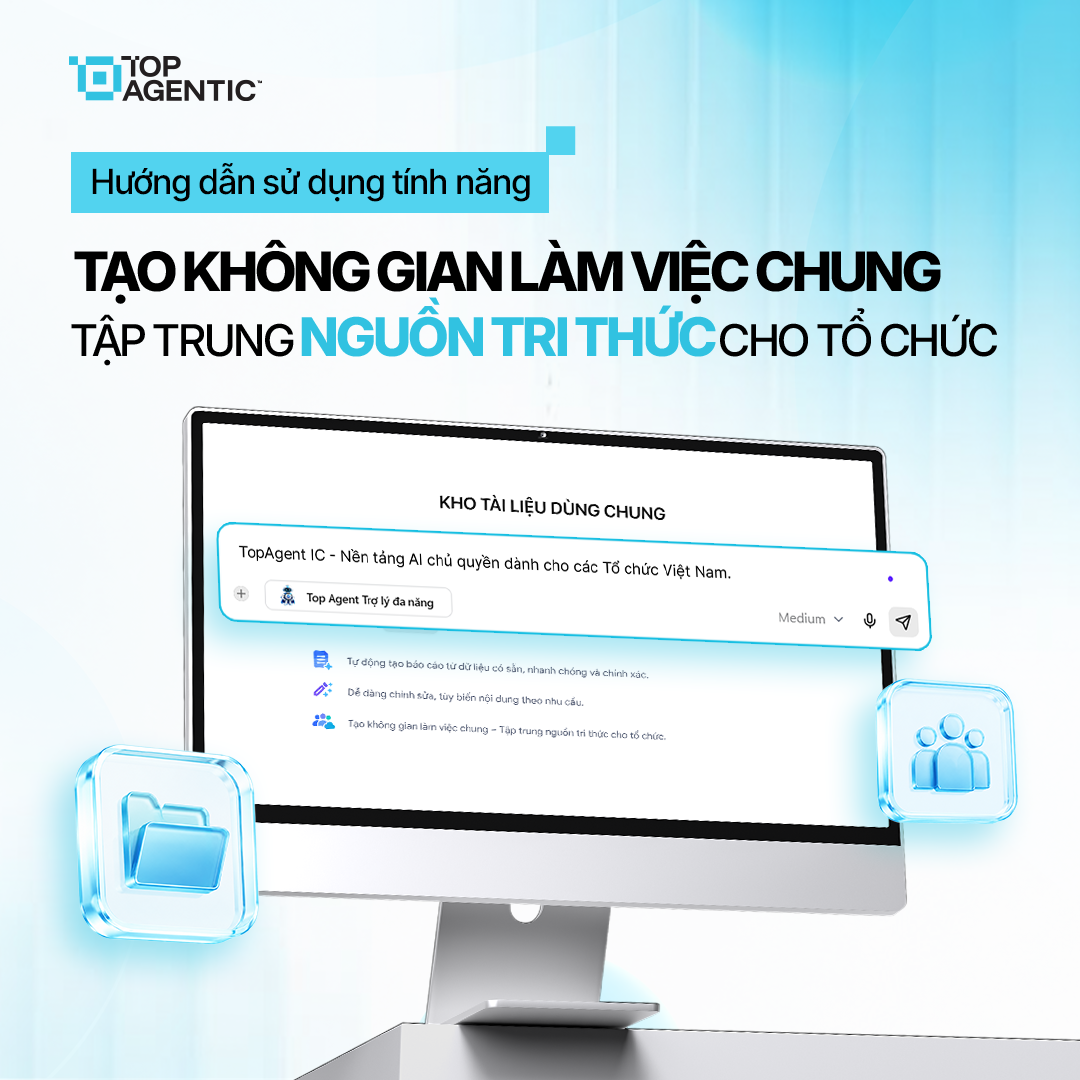
The shared workspace on TopAgent IC helps gather documents by project, organize data into folders, and manage team members. It’s the underlying data layer that lets AI Agents tap into internal knowledge in the right context.
Shared Workspace on TopAgent IC
The shared workspace on TopAgent IC helps centralize documents by project, organize data into folders, and manage members. This is the underlying data layer that AI agents draw on for internal knowledge, within the right context.
Project documents are often scattered across multiple platforms. As a result, staff spend time searching, checking versions, and verifying access permissions.
The shared workspace feature on TopAgent IC helps bring documents together by project, organize them into folders, and manage members. This is the foundation for deploying AI-based organizational knowledge management and creating reference sources for AI agents.
1. What Is AI Organizational Knowledge Management on TopAgent IC?
AI organizational knowledge management is a way of combining AI with a structured storage system to centralize, organize, and make use of knowledge generated through day-to-day operations. Knowledge sources can include processes, regulations, business records, reports, forms, and project documents.
On the TopAgent IC platform, developed by ADT Hi-tech, the shared workspace organizes data by project. Each project can hold its own documents, folders, and member list.
Documents stored here can become a source that AI agents reference when answering questions, compiling information, or processing tasks. This gives AI results more internal context, but the outcome still depends on document quality and the access permissions granted.
[Suggested image placement: project overview interface — Alt text: “Shared workspace supporting AI organizational knowledge management on TopAgent IC”]
2. Why Does Organizational Knowledge Often Become Fragmented?
Internal knowledge still lives in email, meeting notes, personal files, or in individual staff members’ experience. Without a unified way of managing it, organizations typically run into:
Scattered documents: users struggle to identify the official source.
Multiple versions: inconsistent naming conventions increase the risk of using an outdated version.
Unclear permissions: sharing individual links makes access hard to track.
Dependence on individuals: documents may not get fully handed over when someone leaves.
AI lacking context: data that isn’t centralized reduces the quality of AI answers.
Data risk: the organization struggles to control where data is stored and who can access it.
As a result, staff have to cross-check and verify sources before making decisions. This cost repeats daily and grows with the number of projects.
3. How Does the Shared Workspace Solve This Problem?
Organizing knowledge sources by project
Users can create a separate space for each project. Documents are placed in the right context, reducing mix-ups and helping the AI agent identify the appropriate source.
Organizing documents with folders
Users can create folders by department, phase, or record type. A clear structure helps members locate content faster.
Folders provide the foundation for storing official versions and reviewing content. The cleaner the data, the more reliably the internal AI knowledge management system performs.
Managing members by project
The project owner can invite members into each project. Administrators should grant the minimum necessary permissions, review them periodically, and revoke access when needed.
Creating a data source for AI agents
Documents within a project can become a source for the AI agent to compile, search, or prepare content from, within the permitted scope.
This is the connecting point between the file repository and the AI knowledge base: data can serve both Q&A and AI-driven task processing.
4. How to Build a Knowledge Base on TopAgent IC
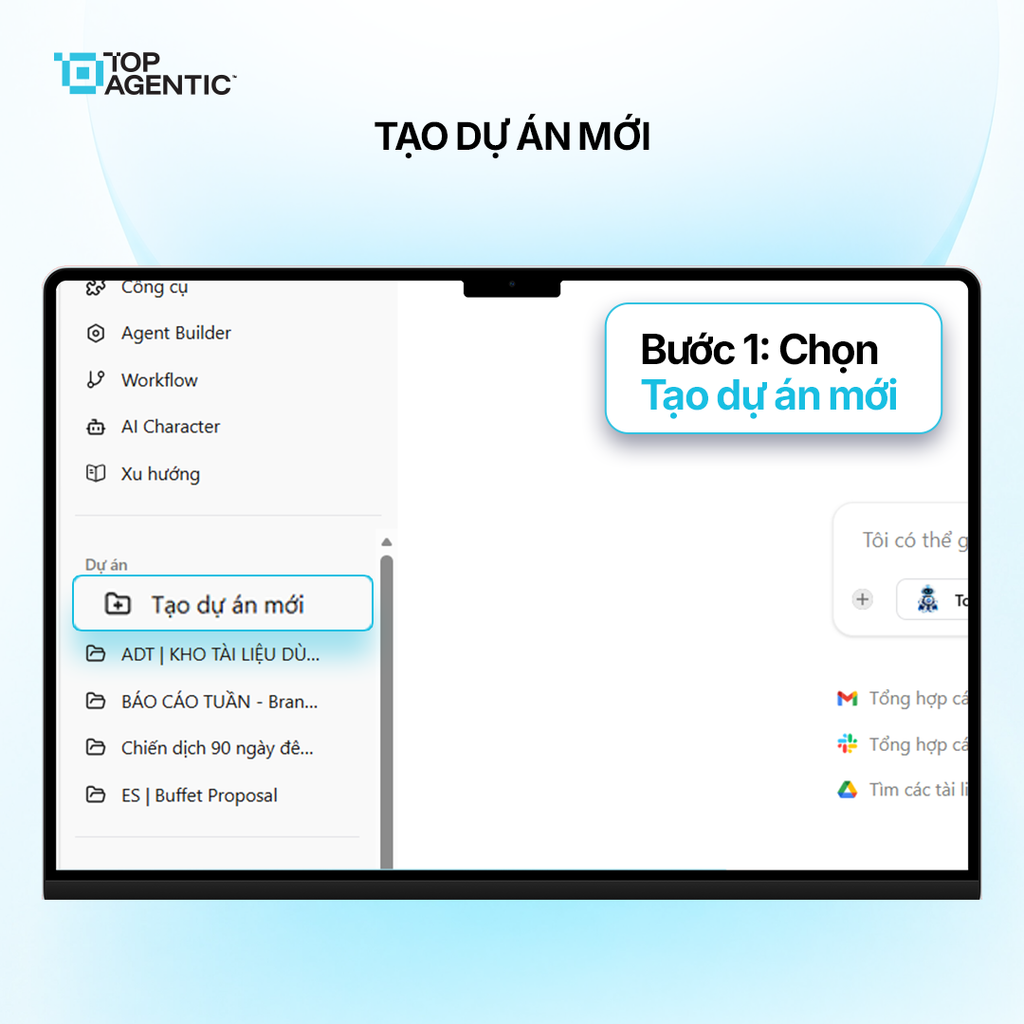
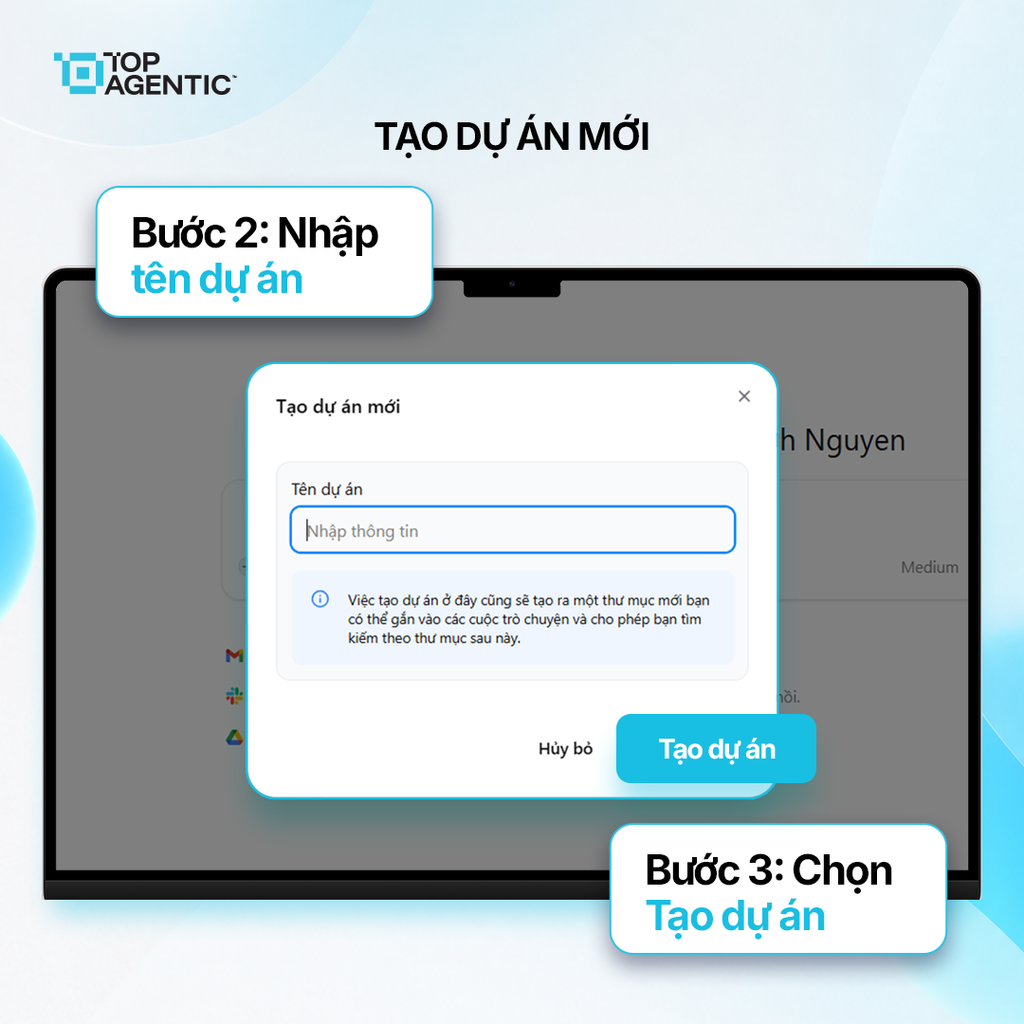
Step 1: Create a Project
- Open the toolbar on the left side of the screen.
- Select “Create New Project.”
- Enter the project name.
- Select “Create Project” to complete the setup.
It’s best to standardize naming conventions by unit, content, and deployment year, to avoid creating projects with duplicate functions.
Step 2: Upload Documents into the Project
- Go to the project you just created.
- Select “Upload.”
- Choose the file you want to add from your device.
Before uploading, it’s best to remove draft versions and check the scope of the content.
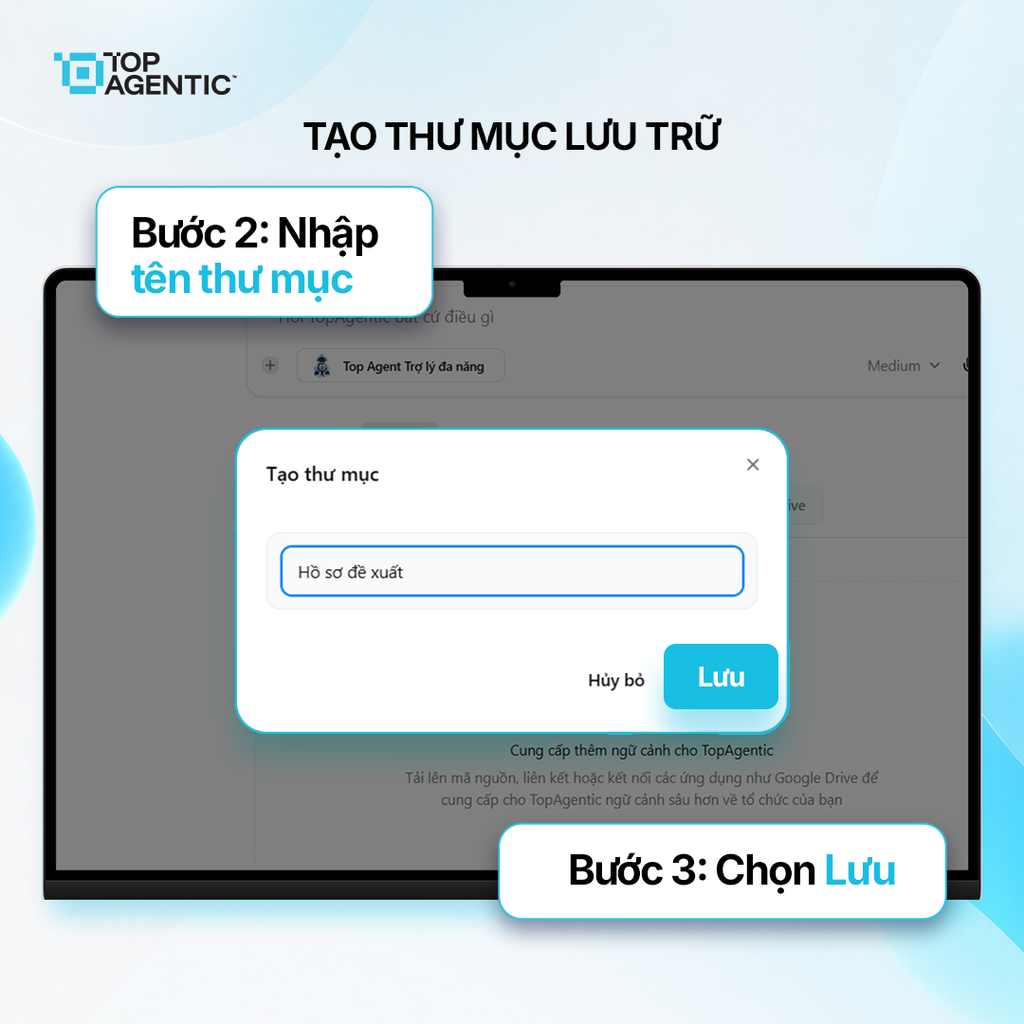
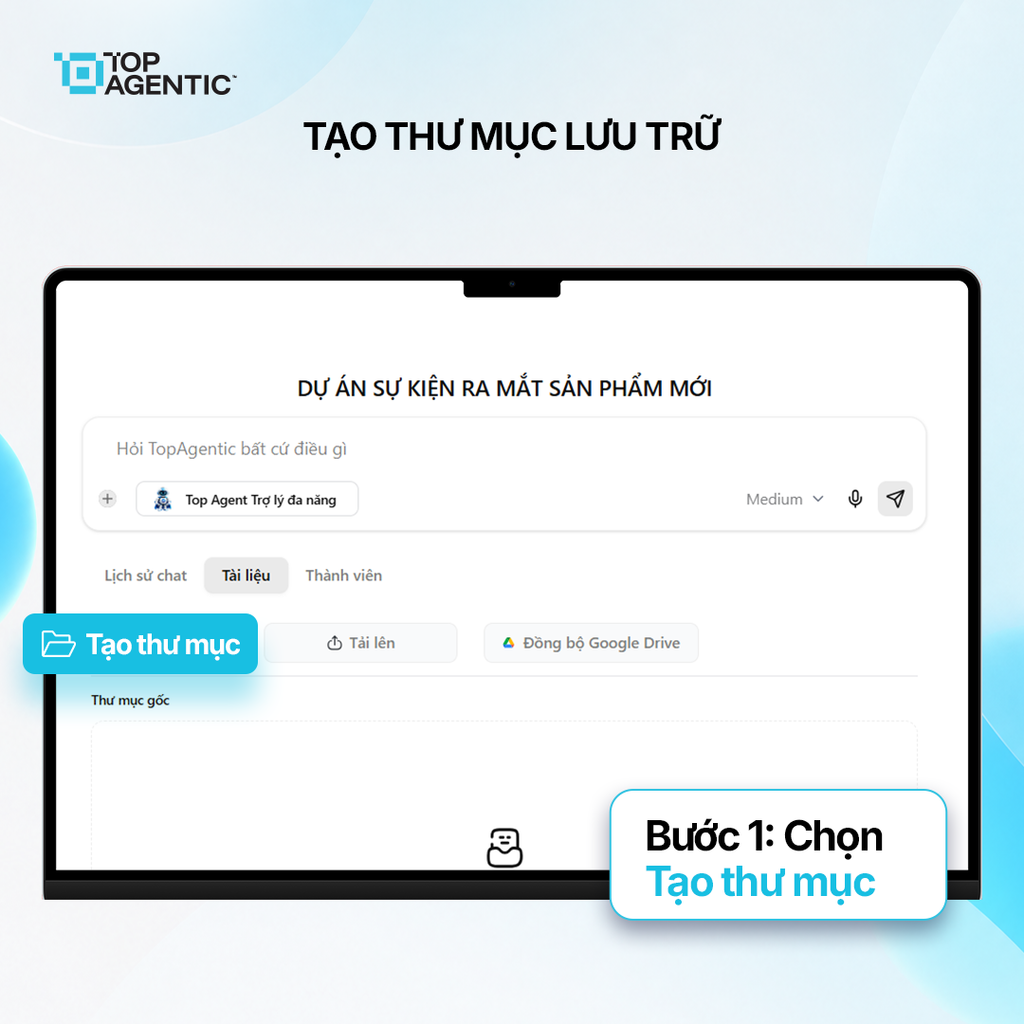
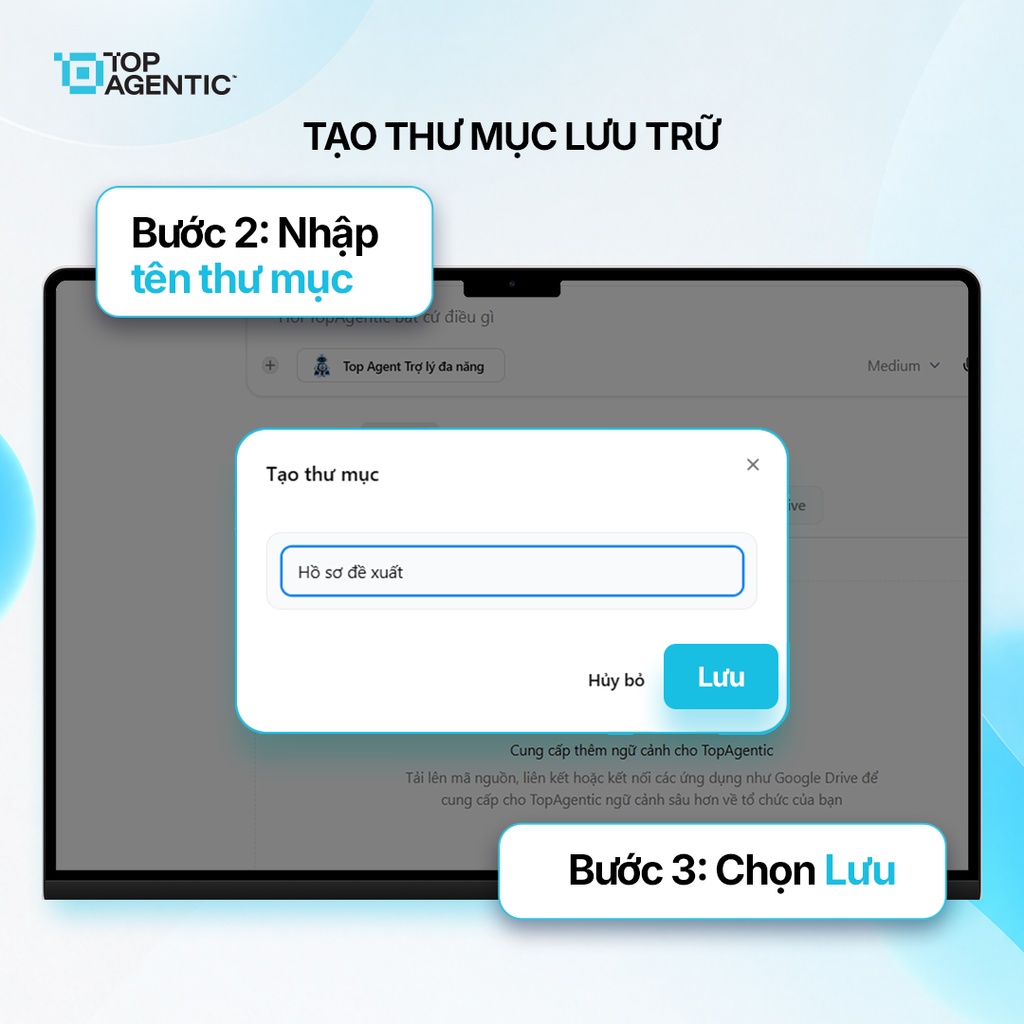
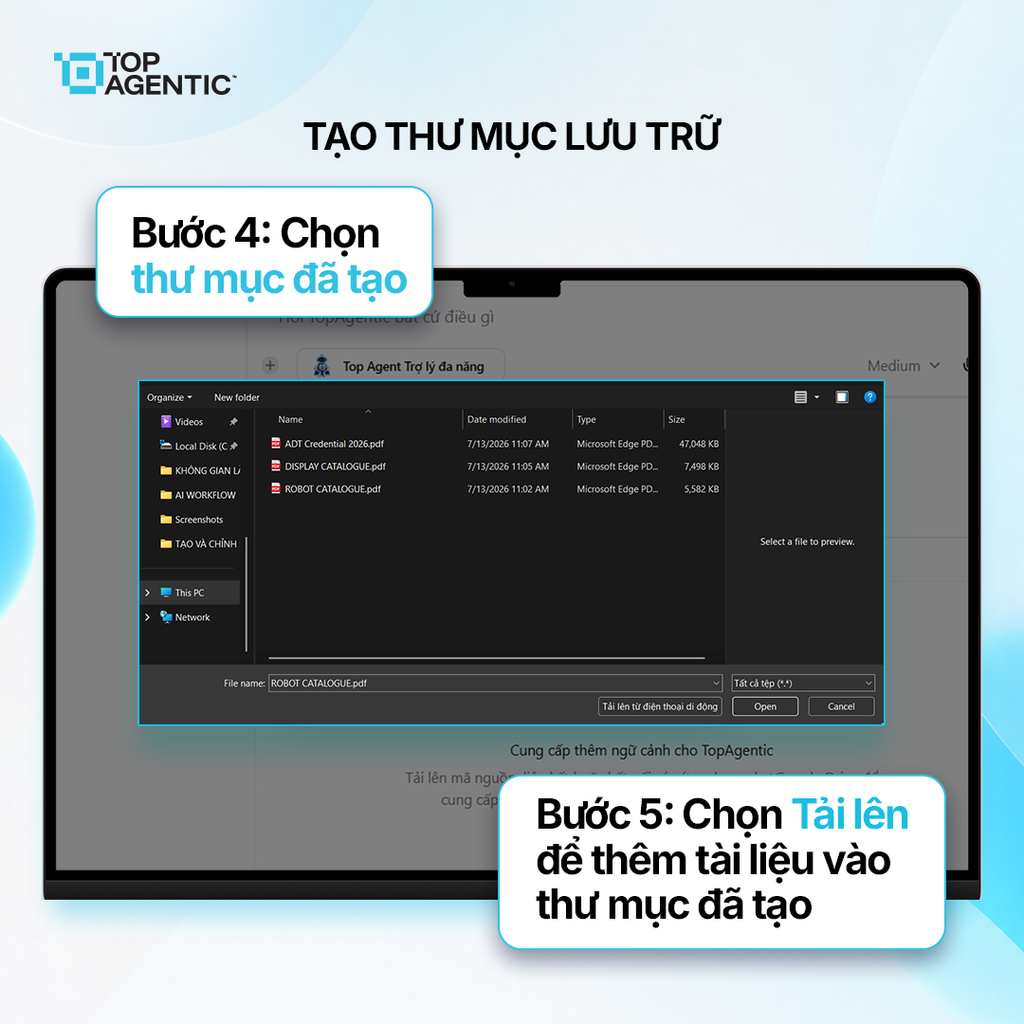
Step 3: Organize Documents with Folders
- Below the chat panel, select “Create Folder.”
- Enter the folder name and select “Save.”
- Open the folder and select “Upload” to put the document in the right place.
Avoid creating too many nested levels or using hard-to-understand abbreviations. Keep the currently effective version separate from reference materials.
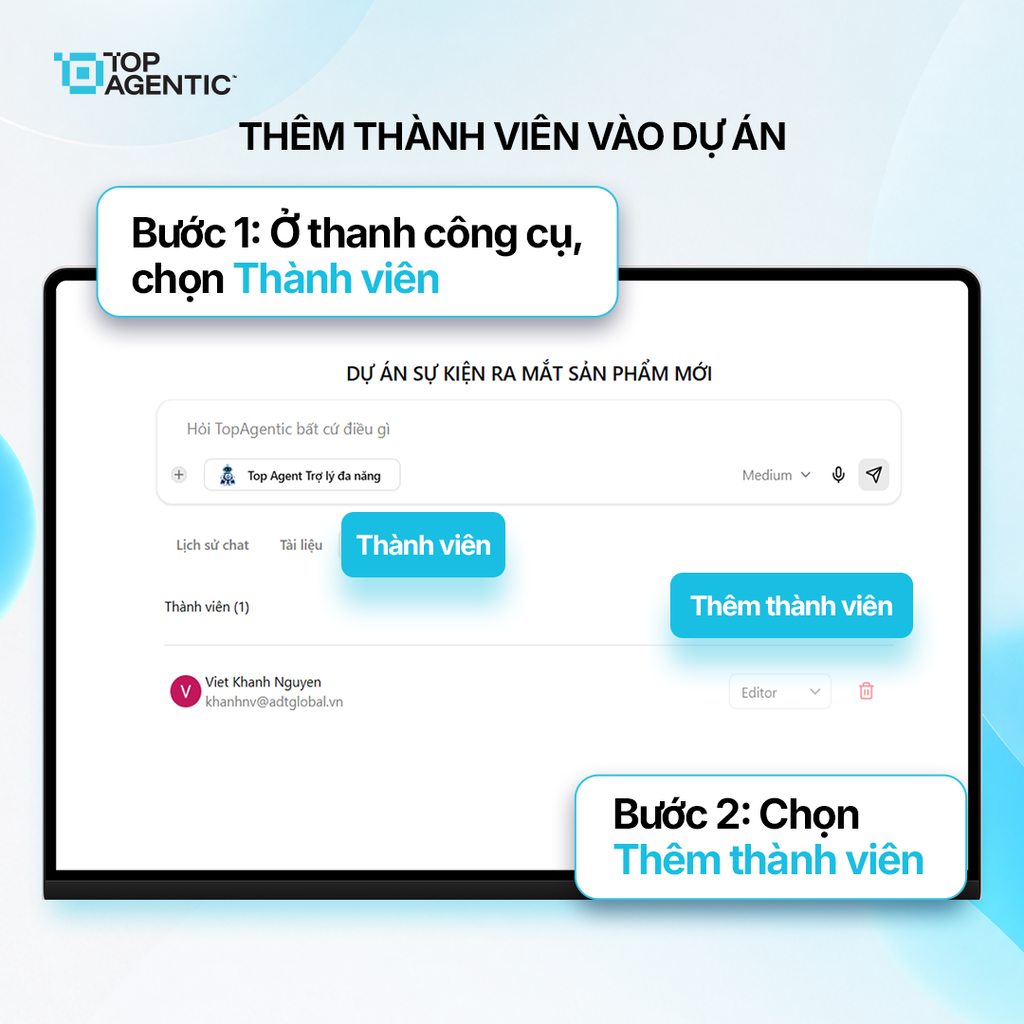
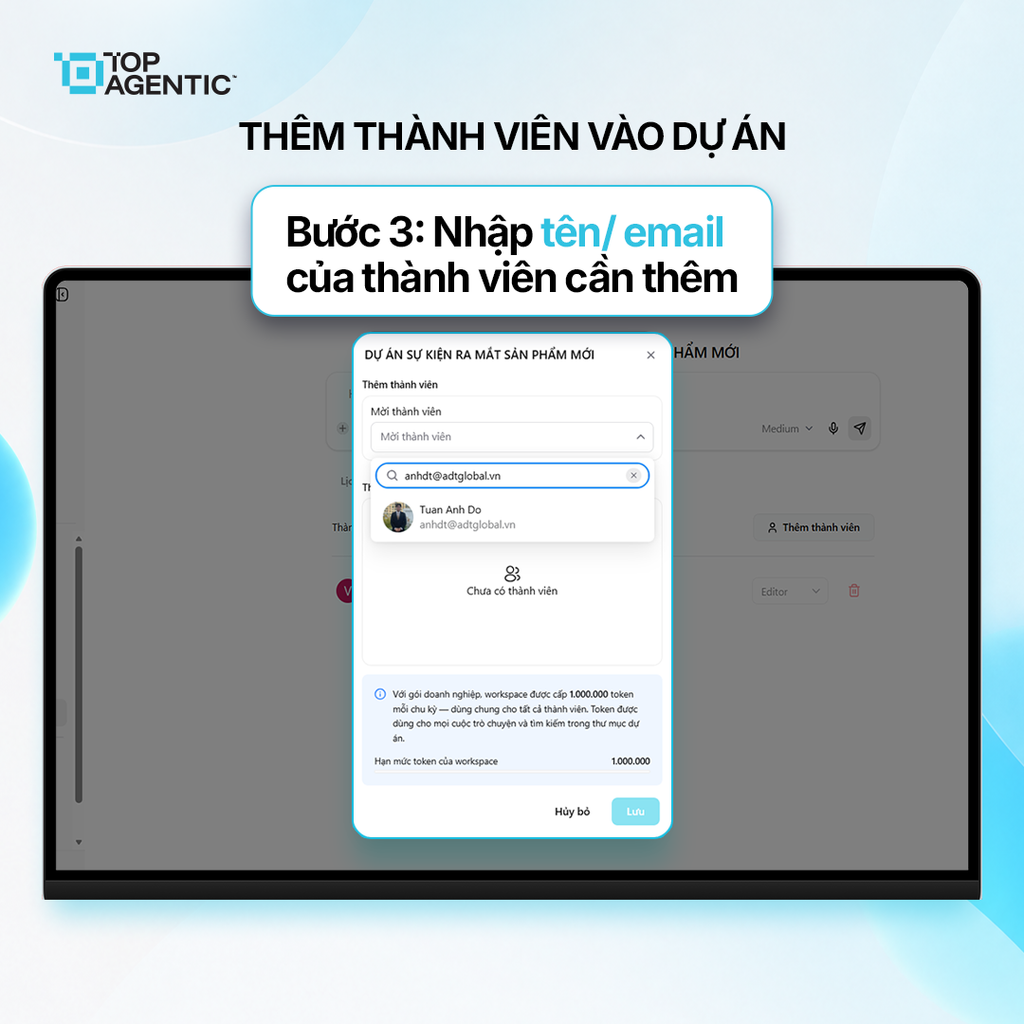
Step 4: Invite Members
- On the toolbar, select “Members.”
- Select “Add Member.”
- Enter the name or email of the person to invite.
- Check the information before completing the step.
Only add people who actually need access to the data, and review the member list whenever the team structure changes.
5. How to Organize Documents for Effective AI Use
An organizational AI platform only delivers value when the input data is accurate and well-structured. Teams should:
- Standardize file names so they reflect the content, status, and update date where relevant.
- Keep approved documents separate from drafts to avoid referencing the wrong version.
- Remove duplicate copies, which can reduce the consistency of results.
- Periodically review regulations, reports, and business records.
- Classify sensitive data and restrict access before uploading.
- Assign someone responsible for managing folders, members, and document quality.
These principles help build organizational knowledge AI on a foundation of controlled data. The organization still bears responsibility for the accuracy and usage rights of its documents.
6. Benefits of AI Organizational Knowledge Management
- Clear data scope: documents are placed in the right work context.
- Members tied to projects: more convenient than sharing scattered individual links.
- Knowledge ready for AI: structured data supports contextual Q&A and summarization.
- A foundation for AI agents: a single knowledge base can serve multiple specialized assistants.
- Supports data control: combines project structure with security policy.
Conclusion
AI organizational knowledge management starts with how data is selected, organized, and controlled. With the shared workspace on TopAgent IC, each project can build its own knowledge base, organize documents with folders, and manage members, all within the same environment.
When data is accurate and properly scoped, the AI agent can provide support that’s more closely aligned with the actual context of the work.
Frequently Asked Questions About AI Organizational Knowledge Management
What is AI organizational knowledge management?
It’s a way of combining structured storage with AI to manage and make use of internal documents within the appropriate scope.
How many projects can be created?
The number of projects depends on the deployment package. Organizations should confirm this with ADT Hi-tech based on their actual needs.
Can members see all of the organization’s data?
Members access data by project and the permissions granted to them. Permissions in one project shouldn’t be assumed to automatically apply to another project.
Are uploaded documents used by the AI agent?
Yes, depending on their processing status, configuration, and access permissions. Users should still verify the source before making an important decision.
How is the shared workspace different from AI internal document search?
The shared workspace is used to organize the knowledge base; AI internal document search is used to ask questions and retrieve information from that knowledge base.