LED Sphere, 360 Hologram, or transparent screen?
Should 360 projection use an LED Sphere, a 360 Hologram, or a transparent display? A comparison of principles, experience, space, and deployment cost.
Should 360 projection use an LED Sphere, a 360 Hologram, or a transparent display? A comparison of principles, experience, space, and deployment cost.
An LED Sphere turns a spherical form into a content surface; a 360 Hologram places images inside a display case; a transparent display overlays digital content onto the background behind it. Choosing the right 360 display technology must be based on where viewers stand and on the experience goal.
What is 360 projection?
360 projection organizes content so that viewers can see the image from multiple directions around a single placement point. This concept differs from 360-degree video for VR headsets and is not automatically optical holography.
It is necessary to distinguish a device that can be seen from 360 degrees from content whose perspective changes with the viewer’s position. A surface can play the same 2D image on every side; multi-angle display requires more complex data and hardware.
How does an LED Sphere work?
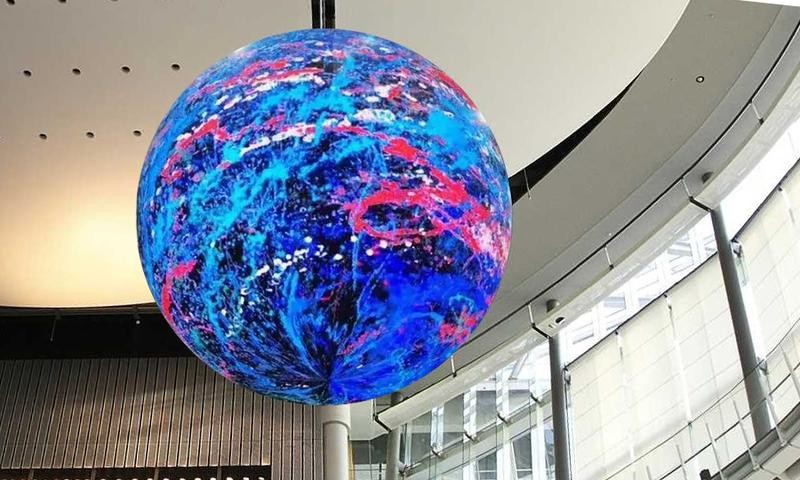
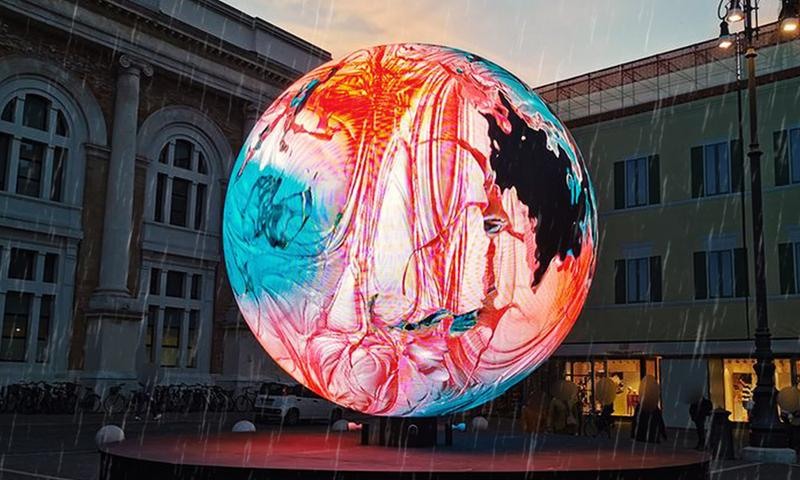
An LED Sphere assembles curved or flexible LED modules into a sphere and then maps content onto the entire surface. Macropix presents 360-degree viewing configurations, floor-standing or suspended; specifications vary by project.
The device offers good brightness, creates a strong landmark, and suits planets, data, or moving logos. Its limitations are that images easily distort at the two poles, maintenance is complex, and content must be built to the exact template of a spherical surface.
How does a 360 Hologram work?
In this article, a 360 Hologram refers to a three- or four-sided display case. Images are reflected on an angled transparent surface, creating the impression of a digital object floating in space. This is usually a Pepper’s Ghost variant, not holography that reconstructs a wavefront.
Realfiction’s DREAMOC offers configurations by number of viewing sides and usage context. The solution suits cases that combine real products with animation, but its size is limited by the enclosure and its effectiveness drops in strong light.
How does a transparent display work?
A transparent display shows content while still revealing the scene behind it. Transparent LED uses a pixel structure with gaps between pixels; transparent OLED uses self-emitting pixels and needs no backlight, according to LG Display.
The solution is strong at layering content with products, architecture, or performers. Its weakness is that the background easily reduces contrast; content needs a black background, clearly bright areas, and a layout with little fine detail.
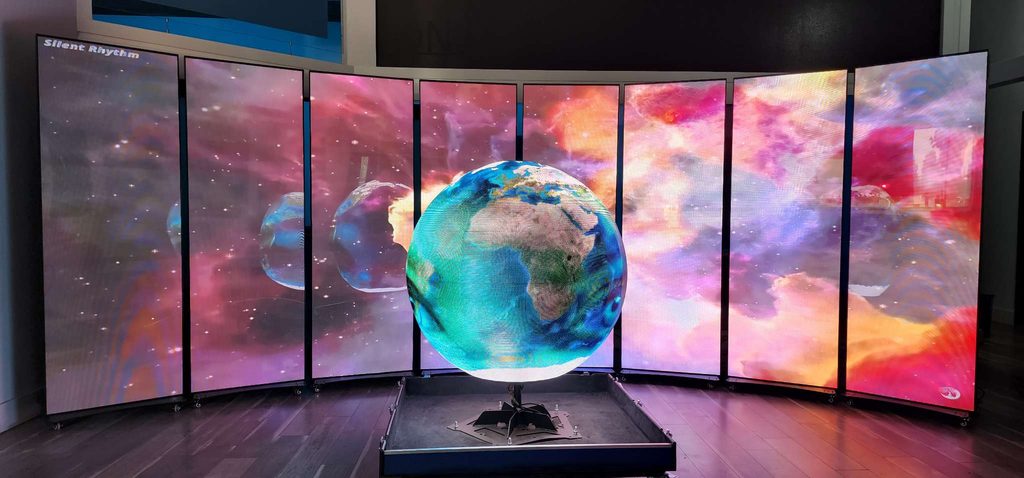
Comparison Table of Three 360 Display Solutions
| Criteria | LED Sphere | 360 Hologram | Transparent display |
|---|---|---|---|
| Structure | Spherical LED surface | Three- or four-sided reflective case | See-through LED or OLED panel |
| Main experience | Large-scale glowing form | Object floating inside the enclosure | Digital content overlaid on the real background |
| Viewing angle | Many directions around the sphere | Three or four sides depending on the device | Mainly the two sides of the flat surface |
| Perceived depth | From graphics and the spherical form | Strong within the limits of the case | From layering with the space behind |
| Ambient brightness | Good if a suitable configuration is chosen | Prefers a controlled background and environment | Brightness must be balanced against the background |
| Audience scale | Medium to large | Individual or small group | Small group to large stage |
| Suitable content | Planets, data, logos, spherical objects | Products, avatars, machine structure | Typography, layered effects, products |
| Interaction | Sensors can be integrated | Touch buttons/sensors can be integrated | Suits touch, camera, tracking |
| Installation | Requires precise load-bearing structure | Requires a stable floor area, avoiding glare | Requires a frame, cabling, and background treatment |
The LED Sphere suits a symbol seen from afar; the 360 Hologram focuses on small products; the transparent display is flexible when digital content needs to blend with real space.
Which technology should be chosen for each application?
Lobby landmark and central stage
The LED Sphere suits places where people circulate around it and long-distance recognition is needed. If suspended high up, the load and hanging points must be certified.
Premium product display
The 360 Hologram suits watches, cosmetics, models, or artifacts, with animation explaining features around the real product.
Stage and layered performances
The transparent display places graphics in front of performers or scenery. Content, performance position, lighting, and cameras must be coordinated.
Open exhibition booths
The LED Sphere draws attention from afar, the 360 Hologram demonstrates products, and the transparent display serves as a façade while keeping sightlines into the booth.
Selection and Deployment Process
Step 1: Define the experience goal
Settle on the goal: attract, introduce, tell a story, or enable interaction. Then determine the number of viewers and device placement.
Step 2: Survey the space
Measure the space, traffic flow, distances, lighting, power, transport routes, and load capacity; also assess the background.
Step 3: Test the content
Build animation to the template and check brightness, distortion, viewing zones, and legibility on the actual device.
Step 4: Integrate and run a full rehearsal
Synchronize the playback system, sensors, sound, and lighting; run a full rehearsal and prepare backup files or devices.
What factors determine the cost?
The budget covers size, pixel density, structure, controllers, transportation, content, interaction, and staffing. Request quotes based on the total scope, because short-term rental and permanent installation have different operating costs.
Checklist before finalizing a solution
- Will viewers stand on one side, walk around, or observe from a distance?
- Does “360” mean viewable all around the device, or does it require perspective that changes with the viewer’s position?
- Can lighting and the background in the space be controlled?
- Does the content need frequent updates?
- Will the device be suspended, floor-standing, or integrated into the architecture?
- Have power, load capacity, heat dissipation, and maintenance access been considered?
- Is there a demo, a full rehearsal, and a backup plan?
360 Display Consulting with ADT Global
ADT Global provides consulting from survey, concept, and content design through integration, construction, and operation of systems at events or exhibition spaces.
The system can combine all three devices with sensors and interactive and immersive technology, so that each touchpoint has a clearly defined role.
Contact ADT Global to choose a 360 presentation solution that fits your space, content, and project budget.