What is Touchless Interaction? Hand Tracking and motion sensors
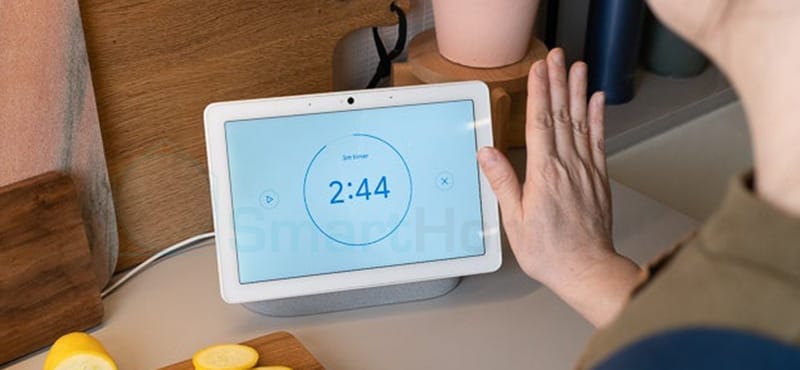
At exhibitions and showrooms, a wave of your hand can flip a page or select a product. That's touchless interaction. The experience requires a combination of sensors, software, and interface, not just a camera for gesture recognition.
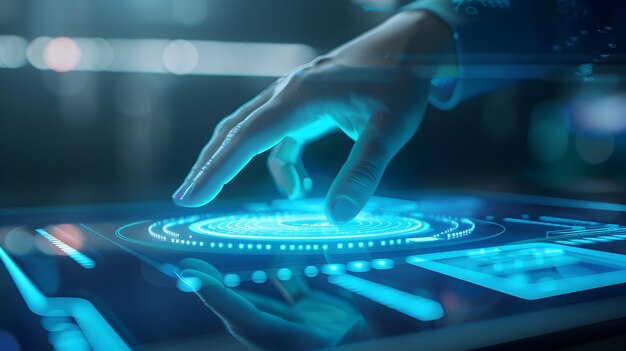
At exhibitions and showrooms, a single wave of the hand can turn a page or select a product. That’s touchless interaction. The experience requires coordinating sensors, software, and the interface, not just mounting a gesture-recognition camera.
Touchless interaction means interacting with a device without physical contact. The system uses RGB cameras, depth cameras, infrared, or other sensors to detect hands and the body. Hand tracking follows the hand; motion tracking follows broader body movement. When deploying it, you need to check distance, lighting, latency, privacy, and fallback options.
What Is Touchless Interaction?
Touchless interaction allows content to be controlled without touching a screen, button, or handheld device. The input signal can be a hand, a pose, a voice, or simply a person’s presence. At events, hand tracking detects hands and gestures, while motion sensors track body position or posture. The system only responds well when the gesture is clear and the sensor can properly observe the user.
How Does Touchless Interaction Work?
A touchless interaction system typically works through five steps:
Capturing the signal: a camera or sensor records images, depth, heat, or motion.
Detecting the subject: software identifies a hand, a body, or a person standing within the interaction zone.
Tracking position: the system continuously updates coordinates, orientation, and movement.
Interpreting the gesture: a pose or sequence of movements is mapped to a command such as select, drag, rotate, or turn the page.
Responding: the interface changes state through visuals, sound, or effects so the user knows the command was received.
Latency at any step affects the experience. Stable, reliable response matters more than the number of gestures supported.
What Is Hand Tracking?
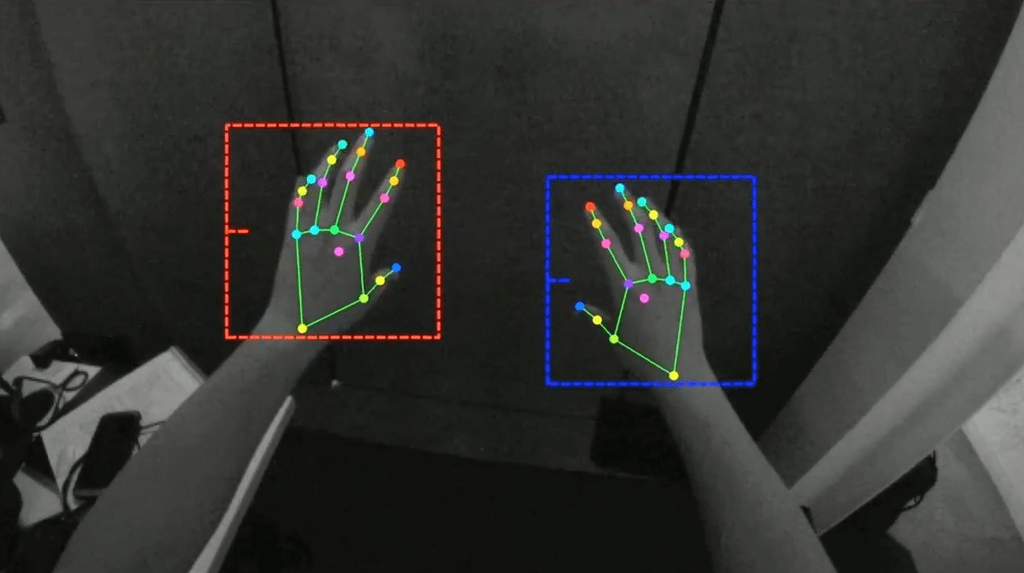
Hand tracking identifies the position of the hand, fingertips, and joints to recognize static or dynamic gestures.
Google’s MediaPipe Hand Landmarker uses a machine learning model to detect hand landmarks from images, video, or a continuous stream, and can distinguish between left and right hands. To turn this into a complete experience, businesses still need to build the interface and control logic around it.
Common gestures include:
Moving the hand to control a cursor.
Holding the hand still to confirm a selection.
Pinching fingers together to select or drag.
Opening the hand to bring up a menu.
Swiping to move between content.
Gestures should be easy to predict, come with guidance, and allow for error correction.
What Are Motion Sensors?
Motion sensors detect presence, position, or changes within an observed area. The devices can be RGB cameras, infrared sensors, depth cameras, radar, or presence sensors.
RGB cameras combined with computer vision can recognize hands or body poses. MediaPipe Pose Landmarker is an example of a model that identifies body landmarks in images or video.
Depth cameras add distance information, which is useful for separating a person from the background or tracking movement in three dimensions. Presence sensors are simpler and well-suited for triggering content based on a zone.
How Does Hand Tracking Differ from Motion Sensors?
| Criteria | Hand Tracking | Body Motion Tracking | Presence Sensing |
|---|---|---|---|
| Subject | Hand, fingers | Body joints and posture | Presence or absence of a person |
| Level of detail | High | Medium to high | Low |
| Tasks | Select, drag, rotate, control | Jump, step, pose, move | Trigger or turn off content |
| Interaction range | Usually close to medium | Medium to far | Based on the sensor’s zone |
| Complexity | Requires gesture recognition | Requires tracking multiple body points | Easier to deploy |
Choose the technology based on the intended behavior: lookup or search tasks need hand tracking; movement-based games need body tracking; a welcome screen may only need presence sensing.
6 touchless interaction apps
- Exhibition booths: explore products, maps, or 3D models using hand gestures.
- Interactive games: use body movement to control a character and complete challenges.
- Responsive advertising: content changes when a viewer approaches or raises a hand.
- Museums: control a timeline, archival material, and information layers on a large screen.
- Showrooms: rotate a model, change its color, or compare versions using gestures.
- Public spaces: support wayfinding, lookup, and triggering information displays.
Every application needs an easy-to-understand interaction and a fallback option. Public spaces should limit data collection.
Touchless Interaction Deployment Checklist
Define one primary action
Start with a single clear task, such as selecting a product or turning a page. Keep only the core gestures, and provide instructions before the experience begins.
Survey the detection zone
Measure distance, sensor height, field of view, and the number of people likely to be in frame. Mark out an appropriate standing area.
Check lighting conditions
Low light, backlighting, or changing light can affect the camera. Test at the actual venue and at the actual time the installation will run.
Design instant feedback
Once a hand is detected, the interface should show a cursor or a “ready” state. Every command needs confirmation and a way to undo or go back.
Test with diverse user groups
Test across different heights, speeds, and physical abilities. Check what happens with two people at once, a hand that’s partially blocked, or a visitor who steps out of the zone mid-gesture.
Prepare a fallback option
Not everyone can perform the same gestures. The W3C’s WCAG 2.2 requires that motion-based functions have an alternative control method and allow motion-based response to be turned off, except where the motion is essential. The fallback can be a touch button or on-site staff support.
Run trials and monitor
Run continuous trials, monitoring temperature, frame rate, latency, and misreads. Content should automatically return to the home screen after a period of inactivity.
Risks to Manage
Misreads and unintended actions
A passerby could accidentally trigger a command. Limit the detection zone, require the user to hold the cursor steady, or require confirmation before selection.
Latency and fatigue
Holding up a hand for too long causes fatigue; latency makes users repeat gestures. Buttons should be large, and hand movement paths should be short.
Privacy
Cameras may capture images of attendees. You need to determine whether the data is stored, where it’s processed, who can access it, and when it’s deleted. Post a clearly visible notice if images are being captured.
Environmental dependency
Lighting, background, distance, and crowd density all affect performance. A demo that runs smoothly in a test room isn’t guaranteed to be stable at the actual event.
Does Touchless Interaction Replace Touchscreens?
No. Touchscreens are better suited for precise actions and data entry; touchless interaction is better suited for creating effects or enabling remote control. The two can be combined: touchless interaction to draw attention, paired with a touchscreen or a QR code for entering information.
Conclusion
Touchless interaction expands how people engage with digital content. Hand tracking is well suited to detailed control; motion sensors are well suited to large-scale experiences. Businesses need to design the technology, the interface, privacy, and fallback options together, all at once. Contact ADT Global for guidance on solutions for events, exhibitions, and showrooms.
Frequently Asked Questions
What is touchless interaction?
It’s a way of controlling digital content using gestures, movement, voice, or other signals, without directly touching the device.
Does hand tracking require a specialized camera?
Some solutions work with a standard RGB camera; applications that need higher precision or 3D space may require a dedicated infrared or depth camera.
Does touchless interaction work outdoors?
It can, but strong light and changing conditions can affect the sensors. The actual equipment should be tested at the real venue.
How many gestures should an experience include?
It’s best to prioritize a small set of easy-to-understand gestures. The right number depends on how long the experience lasts and how familiar users are with the technology.
Does the camera store images of attendees?
This depends on the system’s architecture. Businesses must confirm the data processing and storage mechanism, who has access, and the notification given before the system goes live.